
Why this tool exists
Most “signature generators” on the first page of Google are funnels into paid e-signature platforms. You sign up, confirm an email, watch a quick onboarding tour, and somewhere around step four you find out you wanted just a PNG file — and now you have a 14-day trial of an enterprise contract-signing suite. We built MySignaturePNG because that whole song and dance is overkill when all you need is a clean image of your signature to drop into a Word doc.
The trade is simple: skip the signup, the upload, the watermark, and the upsell. Get a transparent PNG in under 30 seconds. Nothing about this tool runs on a server — the drawing canvas, the handwriting fonts, the photo background removal all execute in JavaScript inside your browser tab. When you close the tab, every trace is gone.
Three ways to make a signature
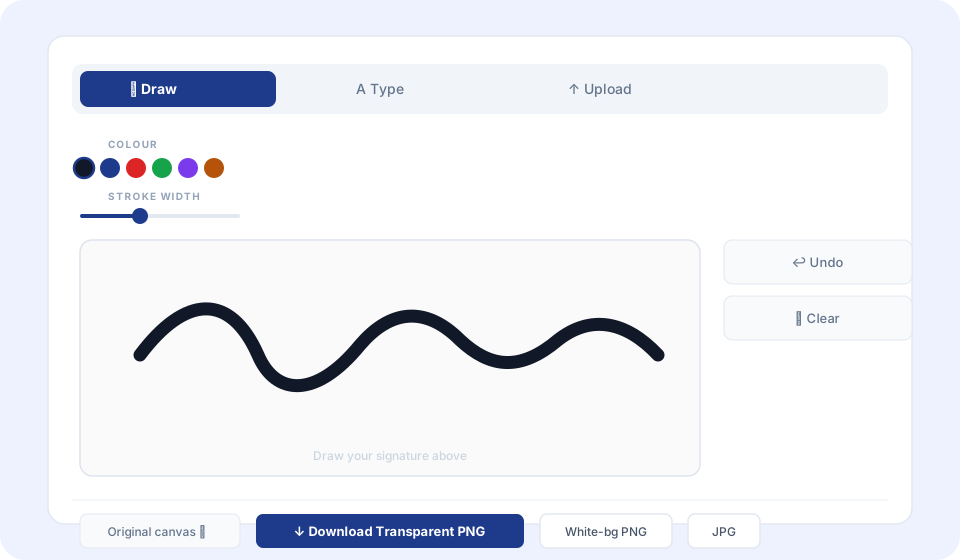
Draw
Mouse or finger on a real canvas. Pressure-smooth strokes, adjustable width (1–8 px), eight colour presets or any hex code.
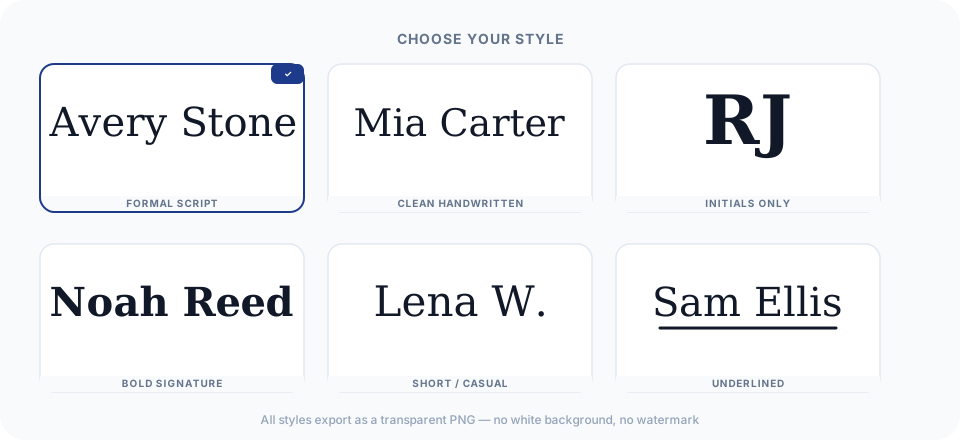
Type
Pick from 20 handwriting fonts — casual ballpoint (Caveat) to formal copperplate (Pinyon Script, Great Vibes).
Upload
Photo of your real handwritten signature. Adaptive threshold or AI removes the paper background — fully local, nothing uploads.
If you have a paper signature you already use on official documents, the Upload tab is worth trying first. Photograph it on plain white paper, upload it here, and the tool extracts just the ink strokes as a transparent PNG — no drawing required. Full guide to converting a photo to signature.
Where the PNG actually goes
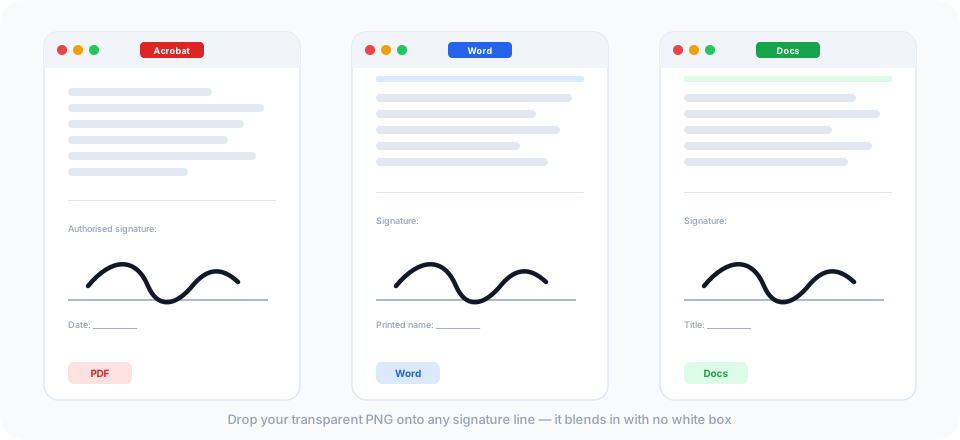
A transparent PNG is a standard image file. Any app that accepts images accepts it — including every document editor worth knowing about.
PDFs are the most common use case. Adobe Acrobat (free Reader and paid Pro both work) has a Fill & Sign flow that lets you import an image signature directly. macOS Preview does the same thing for free — open the Markup toolbar, click the Sign icon, choose Image. Foxit on Windows works the same way. Once your signature is in the tool's library, signing future documents takes about three clicks. Full instructions at signature for PDF.
Microsoft Word is the second most common. Insert → Pictures → This Device brings in the PNG. The step most people miss: right-click the image → Wrap Text → In Front of Text. Without that change, Word treats the image as inline text and you can't drag it where you need it. With it, you can set the signature precisely on any printed signature line.
Google Docs takes the same image through Insert → Image → Upload from computer. Switch the wrap to “In front of text” for free positioning. No separate export step, no format conversion — the same PNG you use for PDFs works here.
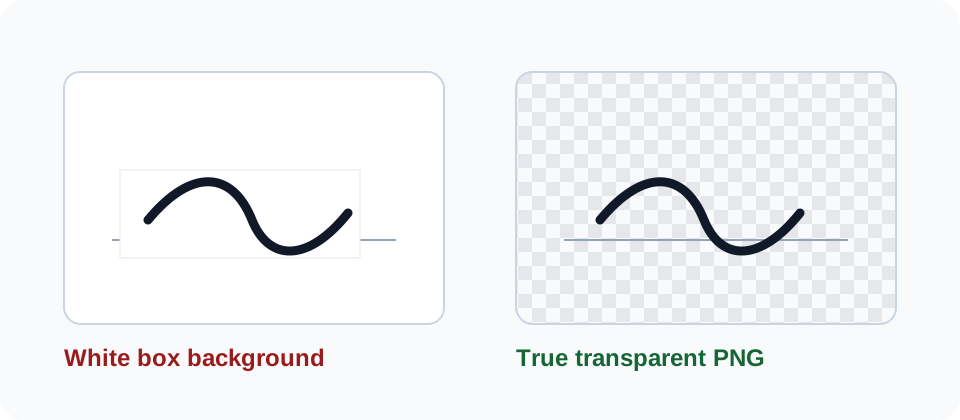
Email signatures work a little differently. Instead of attaching the file, you embed it in the HTML of your signature block. Gmail's signature editor, Outlook desktop, and Apple Mail all let you insert an image directly into the signature — drag or paste the file. The transparent background matters because email clients render different background colors; your signature looks correct whether the recipient is in light mode, dark mode, or reading on a phone.
Anywhere else — Google Slides, PowerPoint, Keynote, any web form that accepts an image upload — a transparent PNG drops in cleanly. See the guides for PDFs and Microsoft Word for step-by-step instructions, or the transparent PNG deep dive if you want to understand the format itself.
Your signature stays on your device
Most tools that handle your signature are in the business of collecting it. They log in, record what you signed and when, and store your signature on their servers so you can reuse it later. For high-value contracts with an audit trail requirement, that's exactly what you want.
For an NDA, a freelance agreement, a lease renewal, or a permission slip? You don't need a subscription for that. You need a clean image file in about 30 seconds.
MySignaturePNG doesn't store anything. Every operation — the drawing canvas, the font rendering, the photo background removal, the PNG export — runs as JavaScript in your browser tab. Close the tab, and there's nothing left on our end. The PNG lands in your downloads folder and that's the end of the chain. We built it this way deliberately: we physically can't lose your signature data because we never had it.
The one thing we do collect: anonymous, aggregate page-view data — which tab people use most, which pages get the most traffic. No signature content, no file data, no IP address tied to anything identifiable. Full details in the privacy policy.
Legal standing
A transparent PNG is a simple electronic signature under ESIGN (US), eIDAS (EU/UK), and equivalent acts in Canada and Australia — legally valid for the vast majority of everyday documents: NDAs, vendor agreements, internal approvals, freelance contracts. For notarised documents, real-estate transactions, or contracts requiring a full audit trail, use DocuSign or Adobe Sign instead.
Honest limitations
Bradley's adaptive threshold can leave faint speckle on lined notebook paper, especially when the rules are dark. The AI option helps on busy backgrounds but wasn't trained on handwriting — it works best on photos of objects. The fix in both cases is upstream: sign on plain white printer paper with a dark pen, photograph it straight-on under even light, and you'll get a clean result every time.
Want SVG export, saved signatures, or 4K output? That's a one-time Pro upgrade in progress. The free tool covers transparent PNG, white-background PNG, and JPG — no watermark, no branding, no signup. Always.